Skip to content

The best surveillance hard drives for 2026

A recorder writes to its drive every second of every day, and desktop drives are rated for a fraction of that. Surveillance drives state a workload rating in terabytes written per year and a maximum number of simultaneous camera streams, which are the two figures to match against your system. Capacity then translates directly into days of history: roughly, a 4 MP camera recording continuously consumes about a terabyte two weeks, so the retention you want is an arithmetic problem, not a guess. We compare workload rating, stated stream limits, capacity and vibration tolerance. Noise figures are not published for any drive here, which is worth knowing if the recorder lives in a room somebody sleeps in.

What we recommend

  1. Seagate SkyHawk 4 TB surveillance hard drive

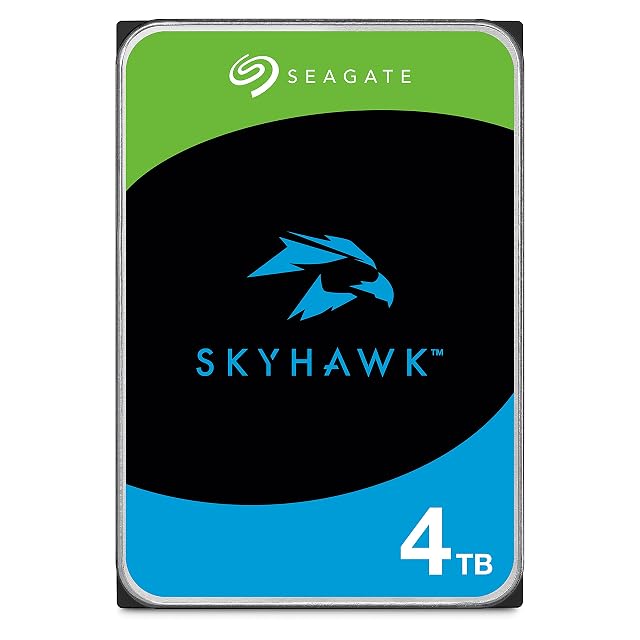
    Seagate SkyHawk 4 TB (ST4000VXZ16)

    A drive built for the one workload desktop drives handle worst: being written to continuously, for years, without pause. Seagate states three times the workload rating of a desktop drive.

    Capacity
    4 TB
    Format
    3.5-inch, SATA
    Cache
    256 MB
    Camera support
    Up to 64 streams, stated by Seagate
    Workload
    3× desktop drive rate, stated by Seagate
    Firmware
    ImagePerfect, for continuous recording
    Amazon reference
    B0B1JPYH2Z
    EAN
    0763649175903
    • Workload rate stated at three times that of a desktop drive
    • ImagePerfect firmware, tuned for continuous write rather than random access
    • 4 TB at 4K continuous is weeks rather than months

    Best for: A four to eight camera recorder that runs continuously.

    ≈ $160
    Check price on Amazon

The need before the model, across surveillance hard drives

Keeping footage for longer

Capacity decides how many days are kept before being overwritten. With several cameras in high definition, it is used up very fast.

Seagate SkyHawk 4 TB (ST4000VXZ16)

Standing up to permanent writing

The stated workload decides the fitness for continuous writing. A desktop drive is not designed for that regime.

Seagate SkyHawk 4 TB (ST4000VXZ16)

Matching the number of streams

A drive rated for four cameras drops frames with eight simultaneous streams. The stated stream count, not the capacity, decides the reliability of continuous recording.

Who buys what, across surveillance hard drives

Continuous recording
Several cameras writing permanently work the drive far harder than a desktop computer. It is a use of its own.
Multi-camera installation
The number of simultaneous streams matters as much as the capacity. Some drives state a maximum number of cameras supported.
Replacing a clicking drive in the recorder
A surveillance drive works permanently and eventually fails. Monitoring the drive's health avoids discovering it while looking for a sequence.

Nothing is free: the trade-offs of surveillance hard drives

Surveillance drive against desktop drive
A desktop drive is designed for intermittent use; permanent writing tires it markedly faster. The price difference is far below the cost of a lost recording.
Capacity against retention period
The retention period depends on the number of cameras and the definition, not only on the capacity. The calculation is done before buying.
One large drive against two smaller ones
Two drives allow possible redundancy; a single large drive is simpler and concentrates the risk of loss.

Buyers’ questions on surveillance hard drives

Will a desktop drive do?

It works and wears out markedly faster under permanent writing. Surveillance drives are designed for that continuous regime.

How many days are kept?

It depends on the number of cameras, the definition and the compression. The calculation is done before buying, not on discovering the sequence you wanted has been overwritten.

Does the drive warn before failing?

Recorders generally monitor drive health and warn. That warning still has to be seen.

Do I need two drives?

Two drives allow redundancy and cost more. On a domestic installation, one monitored drive is often the compromise chosen.

Does the drive get hot?

Permanent writing generates heat. The recorder's ventilation must never be obstructed.

Can the drive be read on a computer?

Many recorders use a proprietary format. Exporting from the recorder is the intended method.

When should the drive be replaced?

After several years of continuous writing, or as soon as a health warning appears. It is a wear part, not a permanent component.

Will a desktop drive do in a recorder?

It works for a few months then fails under continuous writing it was never meant for. Drives stated for video surveillance are built to run without interruption, and that is the difference that counts.

What to take away from surveillance hard drives

A desktop drive wears out far faster under permanent writing: surveillance drives are designed for that regime. Calculate the retention period before buying — otherwise you discover it while looking for a sequence already overwritten.