Wired PoE camera systems: four kits and how to size one
A wired kit is what people buy after a battery camera has already disappointed them. One cable per camera carries power and video, nothing needs charging, and the recorder keeps working when the broadband does not. The cabling is the whole difficulty and no kit removes it.
Wired systems are bought once and lived with for years, so the questions are different.
Channels
More than you need now. Adding a camera to a full recorder means replacing the recorder.
Retention
The honest answer depends on cameras, resolution, frame rate, compression and movement — your recorder will estimate it, and that estimate beats any rule of thumb. The shape, on the 2 TB drive three of these kits ship with: four 4K cameras recording continuously measure retention in days; the same cameras on event recording measure it in weeks.
Resolution against storage
4K, at 8 MP, has about one and a half times the pixels of 5 MP, and produces correspondingly more data. That is the trade, and for most houses 5 MP with longer history is the better one.
What only a wired system does
Keep recording when the internet is down. The recorder and the cameras are on your own cable with your own drive, and a pulled router changes nothing.
The work nobody quotes for
Cable. One run per camera, through walls or under eaves.
Which device does your home need?
You own the property
A wired PoE system is the most reliable domestic option and the effort is once.
You want continuous recording
PoE with a recorder, which is what these systems are built for.
You want no cloud at all
A local recorder keeps everything in the house, which is the privacy argument.
You cannot run cable
This is not the system for you, and wireless is the answer.
Picking by what you are protecting
Whole-property coverage
The main case. Several cameras, continuous recording and no batteries to manage.
Long-term recording
Where recorder capacity decides how many weeks of footage you actually keep.
Privacy-focused setups
Where everything stays on a local recorder and nothing needs to leave the house.
Difficult locations
Where a cable solves the power and connection problems that defeat wireless cameras.
What actually protects, and what is noise
The recorder
Channel count, storage capacity and whether it is expandable. It is the heart of the system and the hardest part to change later.
Cable runs
Where cable can realistically go, and whether you will do it or pay someone. This is the real cost of a PoE system.
Camera choice per position
Different lenses suit different views. A wide lens at a gate and a narrower one down a drive is normal rather than fussy.
Storage duration
How far back you can look, which depends on cameras, resolution and recording mode. Work it out before buying drives.
Where the recorder lives
Somewhere hidden and not easily reached, because a recorder in plain sight is the obvious thing to take.
Which figure for which entrance
What you need
What decides it
The note
Several cameras
Recorder channels
Buy some headroom
Weeks of footage
Storage capacity
Calculate before buying
Reliability
Cable instead of Wi-Fi
The main advantage
Recorder security
Where it is hidden
It is the obvious target
Where this is usually botched
Putting the recorder somewhere obvious
A recorder next to the front door is the first thing taken. Hidden and secured is part of the design, not an afterthought.
Buying exactly the channels you need
You will want another camera. A recorder with spare channels costs little more and saves replacing it.
Underestimating the cabling
Running cable through a finished house is the hard part. Being honest about that before buying avoids a half-installed system.
Using the same lens everywhere
A wide lens sees a lot and identifies nobody at distance. Matching lens to view is what makes footage useful.
By the home you have
The homeowner
Gets the best result from PoE, accepting the installation as a one-off.
The renovator
Should run cable while walls are open, since that is by far the cheapest moment.
The privacy-focused owner
Values the local recorder above everything, since nothing needs to leave the house.
Batteries, updates and working life
PoE systems are low-maintenance by design, which is exactly why they get ignored until they matter. Hard drives in recorders run constantly and eventually fail, and a system nobody checks can have been recording nothing for months.
Check recorded footage periodically; a failed drive is silent.
Use drives rated for continuous surveillance rather than ordinary desktop drives.
Clean camera lenses; cobwebs and salt film cost more than any setting.
Keep recorder firmware current, since it is an internet-connected device.
Safety
A recorder is a target and a network device.
Hide and secure the recorder; it holds all the evidence.
Change default passwords on recorder and cameras alike.
Be cautious with remote access; expose as little as possible.
Check the legal position on cameras that see beyond your property.
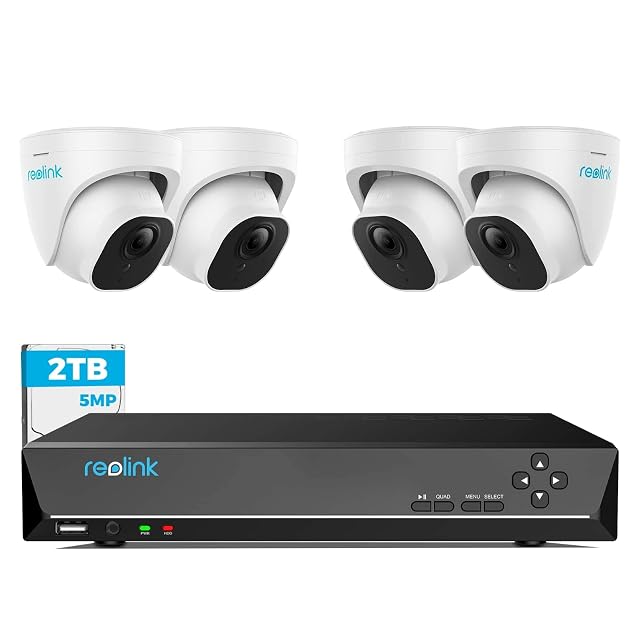
4× 5MP domes · 8CH NVR with 2 TB · 18 m (59 ft) cables supplied · 24/7 recording
Four 5 MP dome cameras, an eight-channel recorder with a 2 TB drive, and 18-meter network cables in the box. Reolink states person and vehicle detection, continuous recording and compatibility with its 4, 5 and 8 MP cameras.
Best for: A house wanting a system that will still be supported and expandable in five years.
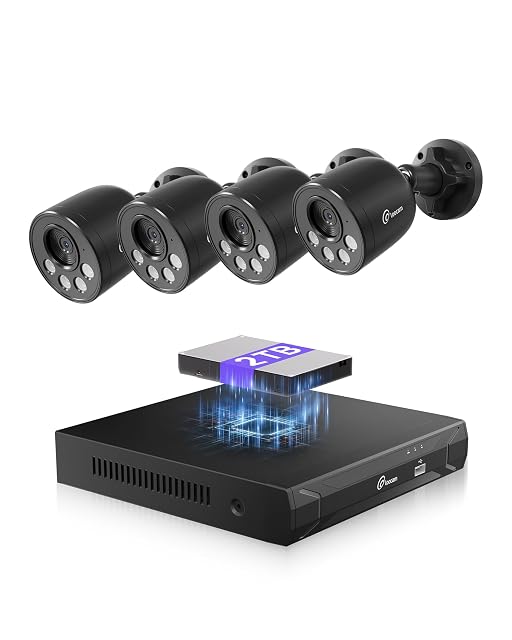
4K 8MP · 8-channel NVR · 2 TB drive included · H.265+ · 30 m (98 ft) IR
An eight-channel 4K kit with the recorder and the drive in the box. Loocam states 8 MP cameras, H.265+ compression and a 2 TB drive already fitted, with person detection and push alerts.
Best for: A first wired system, where everything arriving in one box matters more than the last word in image processing.
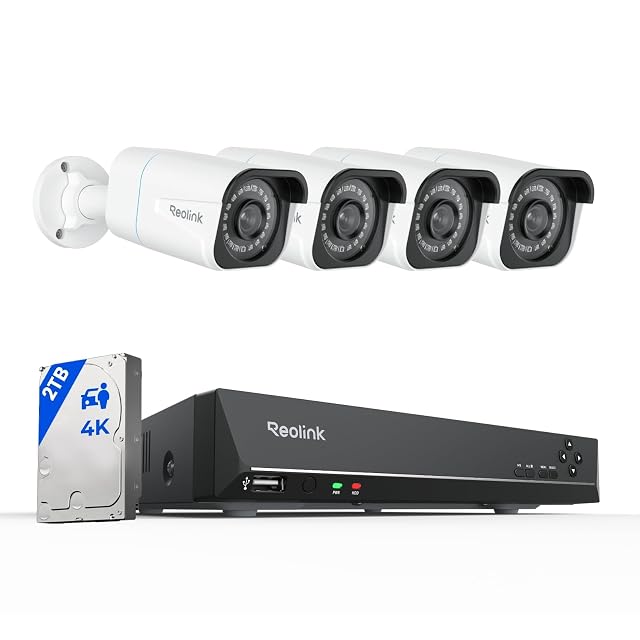
4× 4K bullets · 8CH NVR with 2 TB · person and vehicle detection · 24/7
The 4K version of Reolink's wired kit: four 8 MP bullet cameras at 20 fps, an eight-channel recorder with a 2 TB drive pre-installed, and detection that filters branches and insects out of the alerts.
Best for: A property where footage may have to be handed to somebody else, and detail decides whether it is any use.
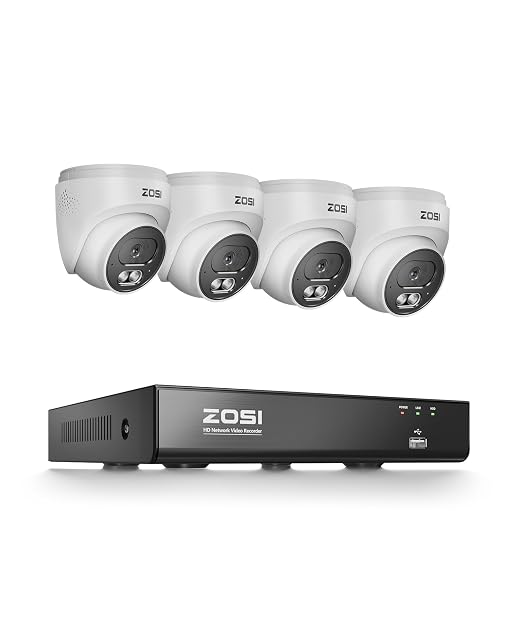
4K 8MP × 4 · 20 fps · AI person and vehicle · two-way audio · IP66
Four 8 MP cameras at 20 frames per second with AI person and vehicle classification and two-way audio at each camera, in IP66 housings. ZOSI states 30 m (98 ft) night vision and plug-and-play PoE wiring.
Best for: A wired system where you want to speak to a delivery driver from the camera rather than only watch them.
Count the cameras you will eventually want, not the ones you are buying. An eight-channel recorder costs a little more than a four and saves replacing the whole system the first time you add a side gate.
4K or 5 MP?
Buy 4K when footage might have to be handed to somebody who was not there. Otherwise 5 MP shows the essentials and keeps noticeably more history on the same drive: about 60% of the pixels of 4K, so less data.
What does PoE actually mean?
Power over Ethernet: one cable carries both power and data to each camera, which is why these systems avoid batteries and Wi-Fi entirely.
How much storage do I need?
It depends on camera count, resolution and whether you record continuously. Work out the weeks you want before buying drives.
Can I install it myself?
The cameras and recorder, usually. The cable runs are the hard part, and in a finished house many people pay for that.
Where should the recorder go?
Somewhere hidden and hard to reach. It holds all the footage, which makes it the most valuable thing in the system to a thief.
Do I still need internet?
Not for recording, which is the point. Internet only adds remote viewing, and you can decide how much of that to enable.
Are ordinary hard drives fine?
Not really. Surveillance drives are designed to write continuously, which is exactly what a recorder does all day and night.
The devices listed are drawn from the catalog of this site. Specifications are those the maker and the Amazon listing publish; prices are what Keepa recorded on the date shown, and both move. The order follows declared specifications, the balance between stated strengths and stated limits, and price. No device here has been installed or tested by us, and no page claims it was.
Last checked on
The tool we use ourselves
Chosen your tool? Now buy it at the right price.
Cameras, alarm kits and safes swing by thirty dollars or more
across the
year, and the biggest "discounts" often land at prices the same model sold for six weeks
earlier.
UniverTrack tracks the real price history across retailers, spots fake
reductions, and alerts you when it is genuinely the moment to buy.
Real price historyBuy-now alertsAI buying assistant