Skip to content

Outdoor cameras that record without a monthly plan

A camera that records nothing without a paid plan is common, and the plan usually outgrows the price difference between two cameras within a year. These four record to a card, an NVR or an FTP server you control, and none of them stops working when you stop paying.

Subscriptions are the largest hidden cost in this catalog, and the way to avoid one is to check the card slot before the sensor.

What to look for

A microSD slot with a stated maximum capacity. An NVR or FTP option, which puts the recording somewhere the camera is not. And AI detection included rather than rented — because on several cameras the classification that makes notifications bearable is itself a paid feature.

The trap in the middle

Some cameras have a card slot and put person detection behind a plan. The card records everything and you are notified about every passing car, so the plan becomes necessary anyway. Check both.

Where the money is better spent

On a card. A high-endurance microSD is paid for once and lasts years; a plan is paid every month.

The one honest advantage of cloud

Footage that survives the camera being stolen. The answer to that is not a subscription but a second local destination, which the wired kit here provides.

Which device does your home need?

You want no ongoing cost
A camera that records to a card or a local recorder rather than the cloud.
You want footage kept off-site
That is what cloud storage buys, and it usually comes with a fee.
You worry about the camera being stolen
Local-only recording has a real weakness, which off-site backup answers.
You want smart detection
Check what works without a plan, because person detection is often the first thing gated.

Picking by what you are protecting

General outdoor coverage

Where local recording covers the ordinary case and the footage stays in your house.

Evidence after an incident

Where the question is whether the recording survived, which is where local-only storage is weakest.

Privacy-conscious households

Where keeping footage off the internet is the point, and no subscription is a feature rather than a saving.

Long-term monitoring

Where storage capacity and overwrite behavior decide how far back you can actually look.

What actually protects, and what is noise

Where footage is stored
A card in the camera, a recorder indoors, or a drive on your network. Each has a different failure mode and a different theft risk.
What the app still does
Live view usually stays free; history, clips and smart detection often do not. Check the specific model rather than the brand.
Storage capacity and overwrite
How long recordings survive before being overwritten. It is the difference between having footage and having had it.
Card quality
Continuous recording destroys ordinary memory cards. Cards designed for surveillance exist and are worth the small premium.
Whether the camera itself can be taken
A camera storing everything internally is a single point of failure that a thief can remove.

Which figure for which entrance

Your priorityThe setupThe weakness
No ongoing costCard or local recorderTheft of the device
Footage survives theftOff-site or indoor recorderCost or wiring
PrivacyLocal onlyYou manage the backups
Smart detectionCheck what is gatedOften subscription-only

Where this is usually botched

Storing everything in the camera
A thief who takes the camera takes the evidence. An indoor recorder or a backup removes that single point of failure.
Using an ordinary memory card
Constant rewriting wears out standard cards quickly, and a failed card records nothing while appearing to work.
Not checking what the plan gates
Person detection, clip history and notifications are often restricted. Discovering that after buying is the usual sequence.
Never checking the footage
A camera can appear online and be recording nothing at all. Watching back a clip occasionally is the only way to know.

By the home you have

The cost-conscious owner
Uses local recording and accepts managing storage themselves.
The privacy-minded owner
Chooses local recording deliberately, because footage staying in the house is the point.
The one worried about theft
Records to an indoor device or keeps an off-site copy of anything important.

Batteries, updates and working life

Local storage is a consumable in a way people do not expect: memory cards wear out from constant rewriting and fail without warning. A camera can look perfectly healthy while its card has stopped recording weeks ago.

  • Use cards rated for continuous surveillance rather than ordinary ones.
  • Check recorded footage periodically to confirm the card still works.
  • Replace cards proactively rather than waiting for them to fail.
  • Clean lenses; cobwebs and salt film cost more footage than any setting.

Safety

Cameras and the law and the network.

  • Change the default password before the camera goes outdoors.
  • Check what your country requires when a camera sees beyond your property.
  • Keep firmware updated; outdoor cameras are exposed network devices.
  • Mount safely; falls during installation are the commonest injury here.

The choices, and what settled them

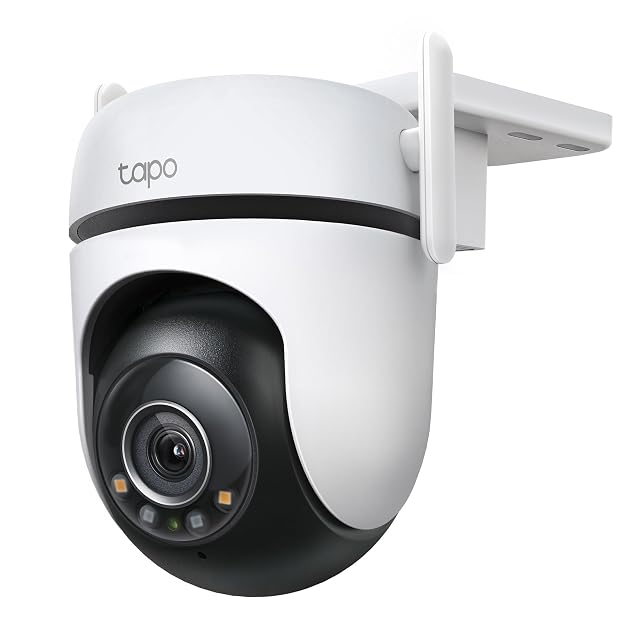
  1. Tapo C520WS

    2K 4MP · F1.6 Starlight · 360° pan · IP66 · Wi-Fi or Ethernet

    A 2560 × 1440 sensor behind an F1.6 lens gives more color in low light before it turns on its spotlights, and it can be wired to Ethernet instead of trusting Wi-Fi.

    Best for: An outdoor position where Wi-Fi is unreliable and a network cable can be run, or where color at night matters more than an unlit image.
    8.1/10

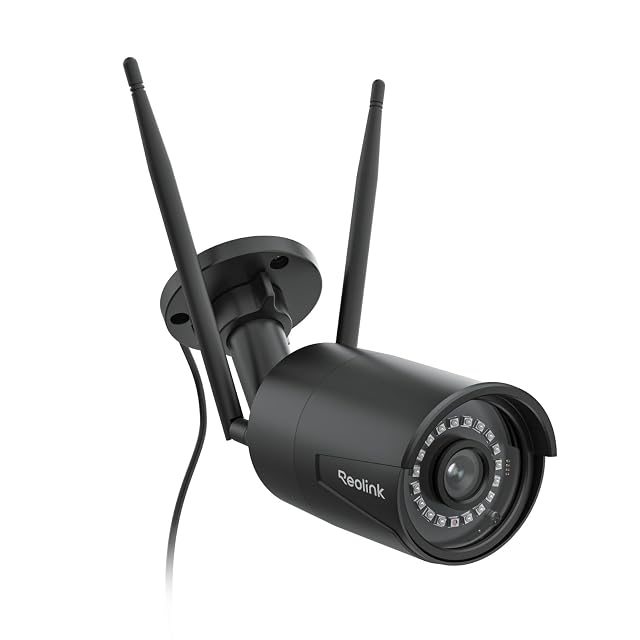
  2. Reolink RLC-510WA-B

    5MP · dual-band 2.4/5 GHz · 30 m (98 ft) IR · microSD to 512 GB, NVR or FTP · IP66

    A fixed 5 MP bullet camera rather than a pan-and-tilt, and the only camera in this hub that will record to an FTP server, as well as to a Reolink NVR or a card. Reolink states dual-band Wi-Fi, person, vehicle and animal detection, and 30 m (98 ft) night vision.

    Best for: Someone who wants a fixed camera pointed at one thing permanently, recorded somewhere other than the camera itself.

    8.1/10

  3. Tapo C500

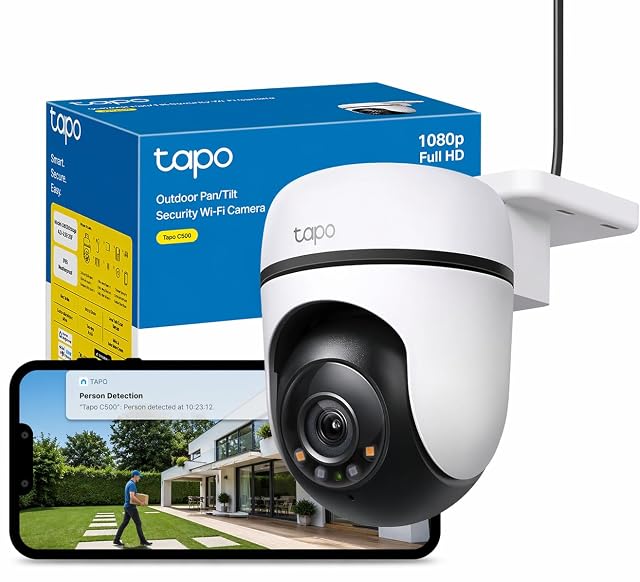
    1080p · 360° pan, 130° tilt · 30 m (98 ft) IR · microSD to 512 GB · IP65

    An entry-level pan-and-tilt outdoor camera that records to its own card. TP-Link states 1080p, a 360° horizontal sweep and night vision to 30 m (98 ft), and the listing is unusually frank about what the model is not.

    Best for: A first outdoor camera on a wall that already has a socket nearby, where 1080p is enough and the card matters more than the picture.

    7.5/10

    ≈ $78

  4. Reolink RLK8-520D4 (5 MP dome set)

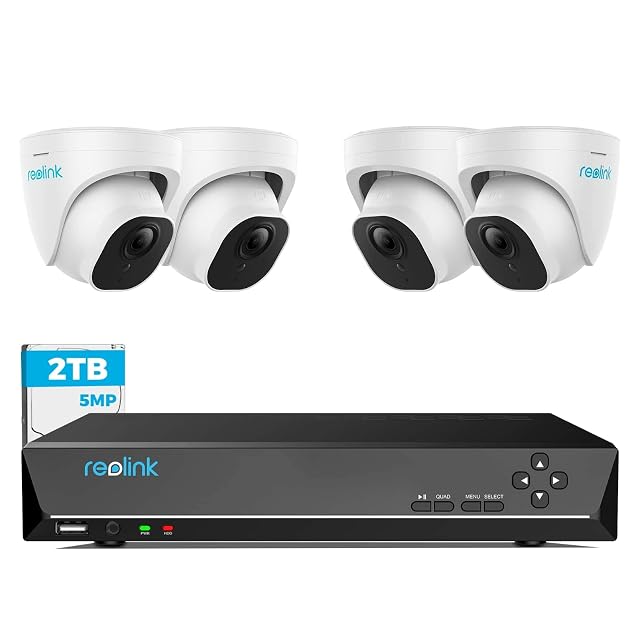
    4× 5MP domes · 8CH NVR with 2 TB · 18 m (59 ft) cables supplied · 24/7 recording

    Four 5 MP dome cameras, an eight-channel recorder with a 2 TB drive, and 18-meter network cables in the box. Reolink states person and vehicle detection, continuous recording and compatibility with its 4, 5 and 8 MP cameras.

    Best for: A house wanting a system that will still be supported and expandable in five years.

    7.8/10

The questions we are asked

How much does a subscription actually cost over time?

Multiply the monthly figure by thirty-six and compare it with the price gap between a cloud-only camera and one with a card slot. The plan, for its part, keeps running after the camera has been replaced.

Is local storage less safe?

It is differently exposed. A card in a camera goes with the camera if it is taken; a cloud copy does not. The arrangement that covers both is a camera that writes to an FTP server or a recorder indoors, which two of these four support.

Can I really avoid a subscription?

Yes, with cameras that record to a card or a local recorder. Check which features the plan gates, because smart detection is often among them.

Do I need a special memory card?

Yes. Continuous recording wears out ordinary cards quickly, and cards designed for surveillance are made for that duty.

How long is footage kept?

Until the storage fills and overwrites, which depends on capacity, resolution and how much motion the camera sees.

Does live view still work without a plan?

Usually yes. It is history, clips and smart detection that are most often restricted, so check the specific model.

How do I know it is actually recording?

By watching back a clip occasionally. A camera can appear online and record nothing, and nobody finds out at a convenient moment.

Each device, and the door it watches

Tapo C520WS

Designed for: An outdoor position where Wi-Fi is unreliable and a network cable can be run, or where color at night matters more than an unlit image.
Its main asset: Ethernet as well as Wi-Fi — the only camera in this hub to state it

Its main gap: Color at night still needs some ambient light — it is a sensitive sensor, not night sight

Read the full review →

Reolink RLC-510WA-B

Designed for: Someone who wants a fixed camera pointed at one thing permanently, recorded somewhere other than the camera itself.

Its main asset: 5 MP — the highest resolution in this hub, stated by Reolink

Its main gap: Fixed, not pan-and-tilt — what it sees is decided at installation

Read the full review →

Tapo C500 · $78

Designed for: A first outdoor camera on a wall that already has a socket nearby, where 1080p is enough and the card matters more than the picture.

Its main asset: Records to a microSD card up to 512 GB with no subscription required, per TP-Link

Its main gap: 1080p only: TP-Link itself points buyers at the C510W or C520WS for 2K

Read the full review →

Reolink RLK8-520D4 (5 MP dome set)

Designed for: A house wanting a system that will still be supported and expandable in five years.

Its main asset: 18 m (59 ft) cables supplied — enough for a normal house without a second order

Its main gap: Dome bubbles need occasional cleaning or the night image hazes

Read the full review →

What to add to it

Accessories and spares from the same aisle, at the price we read. Confirm they suit the device you choose before ordering: it turns on the model and the part number, which the listing gives.

The short decision

  • If your main worry is our rating → look at Tapo C520WS

Comparisons that matter here

Device against device, already covered, inside this guide or this aisle.

What this comparison is built on

The devices listed are drawn from the catalog of this site. Specifications are those the maker and the Amazon listing publish; prices are what Keepa recorded on the date shown, and both move. The order follows declared specifications, the balance between stated strengths and stated limits, and price. No device here has been installed or tested by us, and no page claims it was.

Last checked on

Prices quoted in these summaries are dated readings. The live price is shown next to each product.

The tool we use ourselves

Chosen your tool? Now buy it at the right price.

Cameras, alarm kits and safes swing by thirty dollars or more across the year, and the biggest "discounts" often land at prices the same model sold for six weeks earlier. UniverTrack tracks the real price history across retailers, spots fake reductions, and alerts you when it is genuinely the moment to buy.

Real price historyBuy-now alertsAI buying assistant
Try free for 14 days →
No commitment · Cancel in one click · 5 languages