Skip to content

No Wi-Fi at the site: three cameras that manage anyway

A camera at a plot, a barn or an empty property has no network to join. Three answers exist, and which one suits depends on a single thing no listing can tell you: how strong the mobile signal is at that exact spot, which a phone can answer in a minute.

Three arrangements, decided by one measurement taken on site.

A camera with its own SIM

The simplest remote answer: one device, one small data plan, nothing else to power. It reports to your phone from a field. Configure it to record locally and send short event clips rather than to stream — that setting, not the camera, sets the monthly bill.

A camera that reports to nobody

A trail camera with its own rechargeable cell stores everything on a card and hands it over when you visit. No plan, no signal, no monthly cost, and nothing to go wrong remotely. It is the right answer for a place you attend weekly.

A camera on Wi-Fi that only just reaches

If the house network gets to the outbuilding at all, a solar battery camera is cheaper than either and notifies your phone. Stand at the spot with a phone before assuming it does.

Where a router belongs in this

If there is more than one device at the site, a 4G router feeding ordinary cameras is better than several SIMs — and where nothing indoors works, a modem mounted outside frequently sees several times what one behind walls and metallized glazing does.

The order of spending

Test the signal first. Improve the position. Only then change the box.

Which device does your home need?

There is no internet at the site
A mobile camera with a SIM, or a local recorder with no remote access at all.
You only need footage after the fact
A local recorder is far cheaper than mobile data and works without any network.
You need alerts
That requires a connection of some kind, and mobile is usually the only option.
The site has power but no internet
That is a much easier problem than having neither.

Picking by what you are protecting

Outbuildings and land

The main case. Somewhere with no broadband and often no reliable power either.

Building sites and allotments

Where mobile cameras are common and where theft is the reason for the camera.

Second properties

Where alerts matter because nobody is there to notice anything.

Trail and wildlife monitoring

Where trail cameras record locally and are checked on visits, which is often all that is needed.

What actually protects, and what is noise

Mobile signal at the exact spot
A camera with a SIM is useless where there is no coverage. Check with a phone at the precise position before buying.
Data cost and usage
Video over mobile consumes data quickly. Cameras designed for it send small clips rather than streams for a reason.
Local recording as a fallback
A camera that records locally as well as sending clips gives you full footage on a visit and alerts in between.
Power
No Wi-Fi often means no mains either, which turns this into a battery and solar question as well.
What you actually need
Alerts and evidence are different requirements. Only one of them needs a connection.

Which figure for which entrance

Your needThe answerThe cost
Evidence after the factLocal recording onlyNo connection needed
Alerts in real timeA mobile cameraSIM and data
BothMobile plus local storageMore of each
No power eitherBattery and solarWinter is the limit

Where this is usually botched

Assuming there is mobile signal
Coverage at a remote outbuilding is often much worse than at the house. Testing at the exact spot is the first step, not the last.
Streaming video over mobile data
It exhausts a data allowance almost immediately. Cameras built for mobile send short clips deliberately.
Forgetting the power problem
Somewhere without internet frequently has no mains either, and that is often the harder half of the problem.
Buying alerts you do not need
If you only want to know what happened, a local recorder does it for a fraction of the cost and complexity.

By the home you have

The smallholder
Needs a mobile camera with local backup and probably solar power.
The allotment holder
Often needs only a trail camera recording locally, checked on visits.
The second home owner
Needs alerts, which makes mobile connectivity a requirement rather than a luxury.

Batteries, updates and working life

Remote installations are the ones nobody checks, and they fail accordingly. A dead battery, a full card or a lapsed SIM all produce the same result: a camera that looks installed and records nothing.

  • Check the camera is still reporting on a regular schedule.
  • Watch the SIM's data allowance and expiry; a lapsed SIM silently stops everything.
  • Swap or recharge batteries before a visit rather than after a failure.
  • Clean lenses on every visit; remote cameras collect cobwebs faster than anything.

Safety

Remote sites carry their own risks.

  • Fix cameras securely; an unattended camera is itself worth stealing.
  • Do not go alone to investigate an alert at a remote site.
  • Change default passwords even on a camera nobody can reach.
  • Consider what your camera captures of neighboring land.

The choices, and what settled them

  1. Xega S20

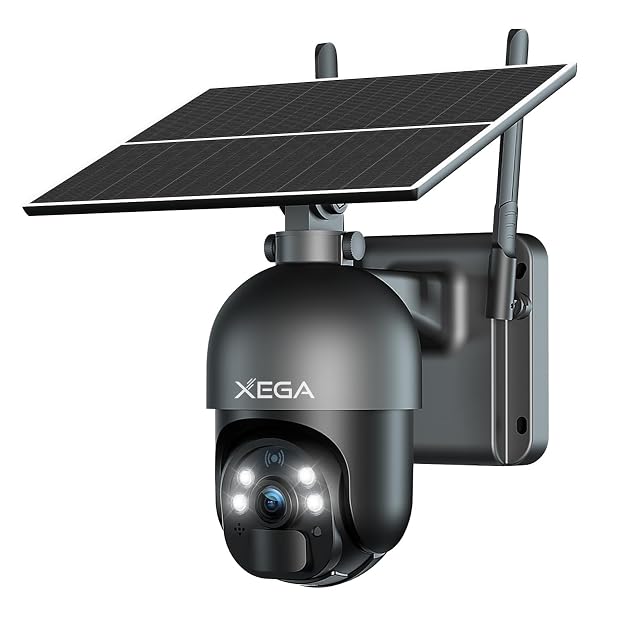
    4G LTE with SIM · 10,400 mAh battery · solar · 355° pan, 95° tilt · PIR · no Wi-Fi needed

    The camera for a place with no network at all. Xega states 4G LTE with a SIM card supplied, a 10,400 mAh battery, solar charging and 355° coverage, with two night-vision modes and PIR detection.

    Best for: An allotment, a barn, a building plot or a second property — anywhere with no Wi-Fi to join.

    7.8/10

    ≈ $60

  2. Mucxtaim H3W

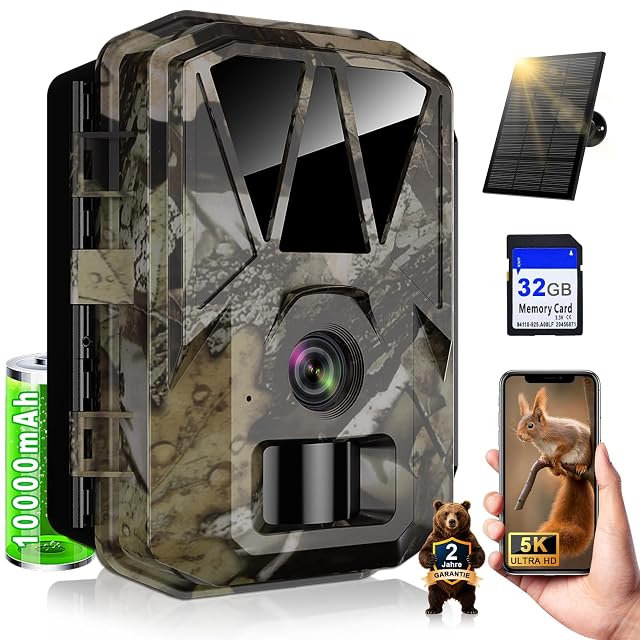
    5K · 64MP · solar with 10,000 mAh cell · 120° lens · 850 nm IR · IP66

    A solar trail camera with a built-in 10,000 mAh rechargeable cell, so it does not run on AA batteries at all. Mucxtaim states 5K video, 64 MP stills, a 120° lens and app transfer over its own Wi-Fi or Bluetooth.

    Best for: A position visited rarely, where changing batteries is the thing you want to stop doing.

    8.4/10

  3. ieGeek ZY-C2

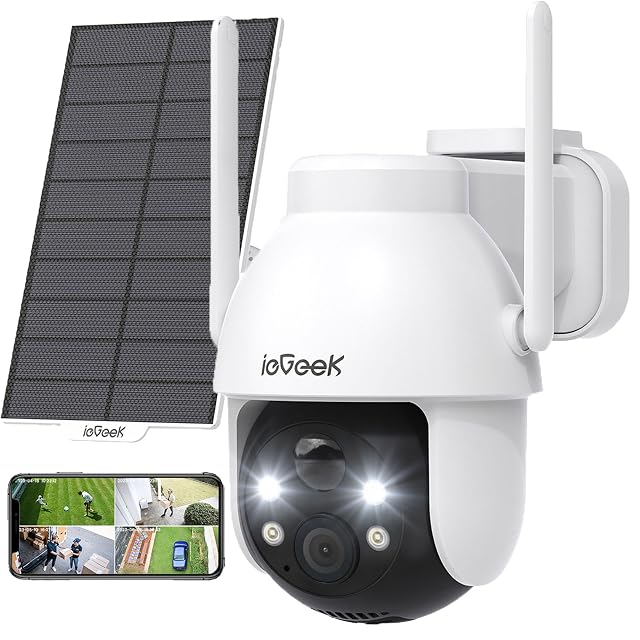
    2K 3MP · solar · 355° × 120° PTZ · color night vision to 15 m (49 ft) · card to 128 GB · IP65

    A fully wireless solar pan-and-tilt camera with a 130° lens, 2K capture and color night vision stated to 15 m (49 ft). ieGeek supplies warning stickers with it, which is a small detail that says something about how it expects to be used.

    Best for: A garden or driveway with sun, where the camera should also be seen to be there.

    7.8/10

The questions we are asked

How do I test the signal before buying?

Stand where the equipment will go, with a phone on the same network you intend to use, at the busiest hour of the day. One bar will frustrate any router, and that is a fact about the location rather than about the product.

What will the data cost?

Whatever the camera is configured to send. Continuous streaming at 2K consumes tens of gigabytes a week; local recording with short event clips consumes a fraction. Change the setting before choosing the plan.

Can a camera work with no internet?

Yes, if it records locally. What it cannot do without a connection is alert you, which is a separate requirement.

How does a mobile camera connect?

Through a SIM, like a phone. That means coverage at the exact spot matters, and it means ongoing data costs.

What if there is no power either?

Then it becomes a battery and solar problem too, and that is usually the harder half. Winter daylight is the limiting factor.

Is a trail camera enough?

If you only need to know what happened and can visit to check, often yes. It is far cheaper than any connected option.

Will a mobile hotspot work?

It can, but it needs power and it adds a device that can fail. A camera with its own SIM is usually simpler and more reliable.

Each device, and the door it watches

Xega S20 · $60

Designed for: An allotment, a barn, a building plot or a second property — anywhere with no Wi-Fi to join.

Its main asset: Works with no Wi-Fi at all: 4G LTE with a SIM supplied

Its main gap: A SIM means a data plan, and the trial one runs for seven days

Read the full review →

Mucxtaim H3W

Designed for: A position visited rarely, where changing batteries is the thing you want to stop doing.

Its main asset: Solar panel and a 10,000 mAh internal cell — no AA batteries to replace

Its main gap: 850 nm illumination glows faintly and is visible at night

Read the full review →

ieGeek ZY-C2

Designed for: A garden or driveway with sun, where the camera should also be seen to be there.

Its main asset: Solar panel with a fully wireless installation

Its main gap: Card ceiling of 128 GB

Read the full review →

What to add to it

Accessories and spares from the same aisle, at the price we read. Confirm they suit the device you choose before ordering: it turns on the model and the part number, which the listing gives.

The short decision

Comparisons that matter here

Device against device, already covered, inside this guide or this aisle.

What this comparison is built on

The devices listed are drawn from the catalog of this site. Specifications are those the maker and the Amazon listing publish; prices are what Keepa recorded on the date shown, and both move. The order follows declared specifications, the balance between stated strengths and stated limits, and price. No device here has been installed or tested by us, and no page claims it was.

Last checked on

Prices quoted in these summaries are dated readings. The live price is shown next to each product.

The tool we use ourselves

Chosen your tool? Now buy it at the right price.

Cameras, alarm kits and safes swing by thirty dollars or more across the year, and the biggest "discounts" often land at prices the same model sold for six weeks earlier. UniverTrack tracks the real price history across retailers, spots fake reductions, and alerts you when it is genuinely the moment to buy.

Real price historyBuy-now alertsAI buying assistant
Try free for 14 days →
No commitment · Cancel in one click · 5 languages