Skip to content

Self-monitored alarms: four with no monthly fee

A monitored alarm calls a center and bills every month. A self-monitored one calls your phone and bills nothing. The difference is not quality — it is who responds, and whether anybody is available when the notification arrives at three in the afternoon while you are in a meeting. Here, the D1D9 and the Rensecum carry their own 4G radio with no subscription, and the Rensecum can also text or call a phone without the app; eufy has a keypad and states no monthly fees; the HOAYVKJ is the budget Wi-Fi-only option with a 120 dB siren. None publishes a hub battery runtime. That is the order of this guide.

Self-monitoring is the default for domestic alarms now, and it is worth being clear about what it is.

What happens when it triggers

A siren sounds where it is, and your phone gets a notification. That is the whole chain. Nobody else is informed, and no response follows unless you produce one.

Why that is usually enough

Most alarms achieve their effect at the moment they sound. The house becomes unpleasant to stay in, the street knows which building is calling, and the event ends. Monitoring changes what happens afterwards rather than what happens then.

What to arrange instead of a subscription

A neighbor who knows your system exists and has a number for you. That is the response, and it is free.

What to check in the kit

Backup power and a cellular path, because a self-monitored system that cannot reach your phone has no chain at all.

A snapshot camera helps

Knowing whether it was a person or a cat is what stops you driving home for nothing.

Which device does your home need?

You want no ongoing cost
A self-monitored system, which alerts you and nobody else.
You are usually reachable
Self-monitoring works, because you are the response.
You travel or work underground
A notification you cannot receive is not an alert, and monitoring earns its fee.
You want local recording too
Check that the system stores events without a plan, because many do not.

Picking by what you are protecting

Everyday household use

Where a self-monitored alarm covers the ordinary case entirely, and where the siren does the deterring.

Alerting you

Where push notifications work well, provided your phone is with you and has signal.

Recording events

Where local storage matters, since cloud event history is usually the first thing a subscription gates.

Long absences

Where self-monitoring is weakest and a keyholder arrangement becomes the practical substitute.

What actually protects, and what is noise

What still works without a plan
Sirens and local alerts usually do; history, cloud clips and some automations often do not. The list matters more than the headline.
Push notification reliability
A self-monitored system is only as good as the alert reaching you. Test it before relying on it.
Local storage
Where events are kept if there is no cloud. It affects both privacy and what survives if the panel is stolen.
Mobile backup
Whether the system can signal without your home internet. Without it, cutting the router disables the alerting.
Who else can be alerted
Many systems can notify several people. That is the free equivalent of a keyholder arrangement.

Which figure for which entrance

What you wantWithout a subscriptionThe limit
A loud sirenAlways worksNobody may respond
Phone alertsUsually worksYou must be reachable
Event historyOften gatedCheck before buying
Someone attendingNot includedThat is what monitoring buys

Where this is usually botched

Assuming everything works without the plan
Many systems quietly restrict history, clips or automations. The specification sheet rarely leads with that.
Relying on one phone
If that phone is off, out of signal or in a meeting, the alert goes nowhere. Multiple recipients cost nothing.
Forgetting the router
A system that signals only over home broadband stops working when the broadband does, deliberately or otherwise.
Confusing an alert with a response
Self-monitoring tells you. Deciding in advance what you would actually do is the part people skip.

By the home you have

The reachable householder
Is well served by self-monitoring and a couple of alert recipients.
The frequent traveler
Gets less from self-monitoring and should arrange a keyholder or pay for monitoring.
The privacy-minded owner
Often prefers no subscription anyway, since it usually means less data leaving the house.

Batteries, updates and working life

A self-monitored system depends entirely on the alert chain working, and that chain has more links than people realize. A new phone, a changed password or a notification permission turned off can silently break it.

  • Test the full alert chain after any phone change or app update.
  • Check notification permissions are still enabled on every recipient's phone.
  • Replace sensor batteries on schedule, since nobody else is watching the system.
  • Verify local storage is actually recording rather than assuming it is.

Safety

Self-monitoring puts the response on you.

  • Never go to a property you believe is being entered; call the police.
  • Agree in advance who responds and how, before it is needed.
  • Change all default passwords; unmonitored systems are still internet-connected.
  • Keep at least one alert recipient who is usually at home.

The choices, and what settled them

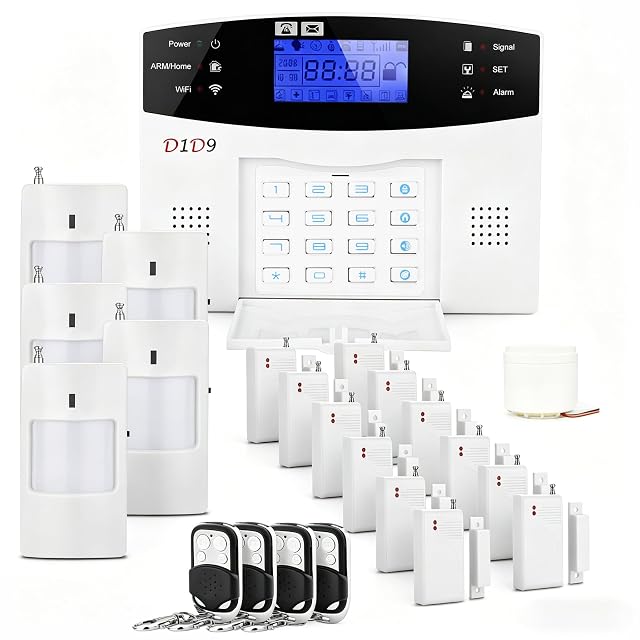
  1. D1D9 OCC1 24-piece wireless DIY alarm system, 4G, Wi-Fi and GSM

    24 pieces · 4G and Wi-Fi, with a mobile fallback that needs no subscription · SIM card or Wi-Fi required · no monthly fee · batteries described as gifts, not warranted · no siren level, no radio frequency, no sensor breakdown

    The only kit here with a mobile fallback that costs nothing monthly — and the only one that disclaims its own batteries.

    Best for: A second property or a vacation rental, where nobody will be paying a subscription and 4G is the only reliable link

    ≈ $110
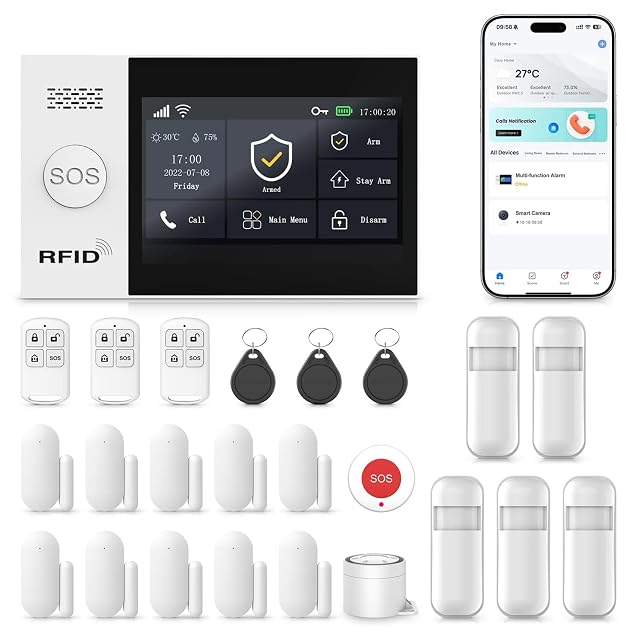
  2. RenseCum A107F home alarm system, GSM/4G and Wi-Fi, 24 pieces

    24 pieces with a 4.3-inch color touchscreen base station — the only touchscreen on this shelf · 2.4 GHz Wi-Fi AND 2G/4G, 5G explicitly not supported · alerts by app, SMS OR VOICE CALL, the only kit here that reaches a phone without an app · SOS buttons on the base, the remote and a separate button · accessories factory pre-paired · no subscriptions · no siren decibel figure, no backup battery, no piece breakdown

    The only kit here that will telephone you — and the only one with a touchscreen, which together make it the one that suits someone who does not use apps.

    Best for: An elderly parent, or any household where the alarm must be worked by hand and must be able to ring a phone

    ≈ $129

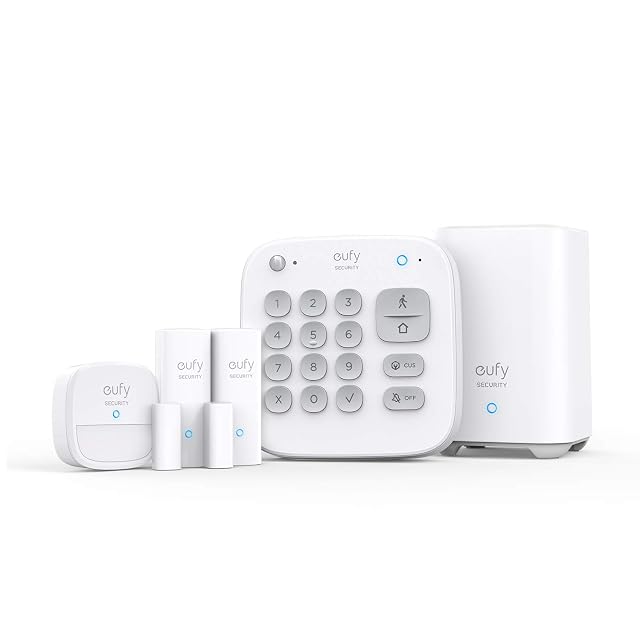
  3. eufy Security T8990121 5-Piece Home Alarm Kit

    5 pieces: HomeBase, keypad, motion sensor, 2 entry sensors · no monthly fees, stated as a one-time purchase · no siren level, no battery duration, no radio protocol, no detector range, no mains or network fallback stated

    The clearest no-subscription promise on this shelf, attached to the shortest specification on it.

    Best for: A small apartment where the monthly fee is the objection and local alerts are enough

    ≈ $160

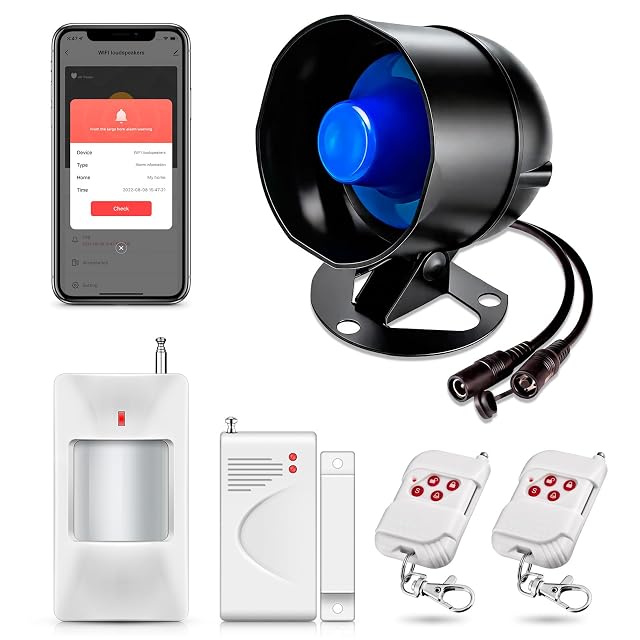
  4. HOAYVKJ WiFi alarm system kit, 120 dB siren hub, 6 pieces

    6 pieces: WiFi siren hub, 1 door/window sensor, 1 motion sensor, 2 remotes, power plug · 120 dB · supports up to 30 detectors and 20 remotes — the highest device limit published on this shelf · arm and disarm delays, alarm duration and timers all adjustable · Tuya app, 2.4 GHz Wi-Fi only · no cellular fallback, no backup battery

    Thirty detectors and twenty remotes is the biggest expansion figure on this shelf — and the entry delay the hub tip warns about is one you set yourself.

    Best for: A shed, a garage or a small shop that will grow to a dozen sensors and never pay a subscription

    ≈ $38

The questions we are asked

What does self-monitoring actually mean?

The system sounds a siren and sends you a notification. Nobody else is told, and nothing happens unless you or somebody you call acts on it. That is a real limitation and it is free.

Is a siren enough on its own?

It makes the house unpleasant to remain in and tells the street which house is calling, which is most of what alarms actually achieve. What it does not do is bring anybody — that requires a neighbor who knows, which is worth arranging.

What do I lose without a subscription?

Usually event history, cloud clips and any professional response. Sirens and local alerts normally keep working, but check the specific system.

Is self-monitoring enough?

If you are usually reachable and have agreed who responds, often yes. If you travel or work where you cannot answer, it is much weaker.

What happens if my internet fails?

Systems without mobile backup stop alerting entirely. That is a meaningful vulnerability and worth checking before buying.

Can several people get the alerts?

Most systems allow it, and it costs nothing. It is the free equivalent of having a keyholder.

Should I respond to an alert myself?

No. If you believe someone is inside, call the police rather than attending. That advice does not change because the system was cheap.

Is a no-subscription system less secure?

Not inherently. It is less monitored, which is a different thing, and it usually means less of your data leaves the house.

Each device, and the door it watches

What each level of spending protects

The short decision

Comparisons that matter here

Device against device, already covered, inside this guide or this aisle.

What this comparison is built on

The devices listed are drawn from the catalog of this site. Specifications are those the maker and the Amazon listing publish; prices are what Keepa recorded on the date shown, and both move. The order follows declared specifications, the balance between stated strengths and stated limits, and price. No device here has been installed or tested by us, and no page claims it was.

Last checked on

Prices quoted in these summaries are dated readings. The live price is shown next to each product.

The tool we use ourselves

Chosen your tool? Now buy it at the right price.

Cameras, alarm kits and safes swing by thirty dollars or more across the year, and the biggest "discounts" often land at prices the same model sold for six weeks earlier. UniverTrack tracks the real price history across retailers, spots fake reductions, and alerts you when it is genuinely the moment to buy.

Real price historyBuy-now alertsAI buying assistant
Try free for 14 days →
No commitment · Cancel in one click · 5 languages